 Sales
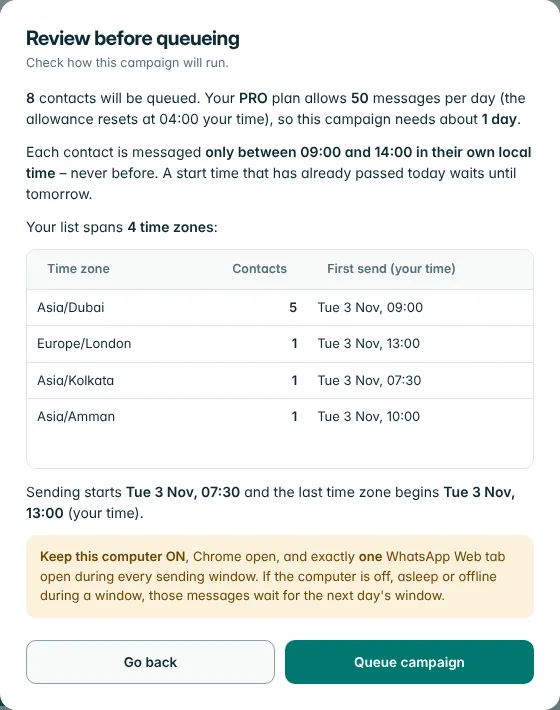
Sent in their daytime
Pick a start time once. Each contact is messaged in a window that begins at that time in their own time zone, and you see the schedule before you confirm.
For small businesses that can't use the WhatsApp Business API. Import your contacts, write one message, and SalesInTouch sends it from your own WhatsApp Web: spaced out, during each contact's daytime, within a daily limit.
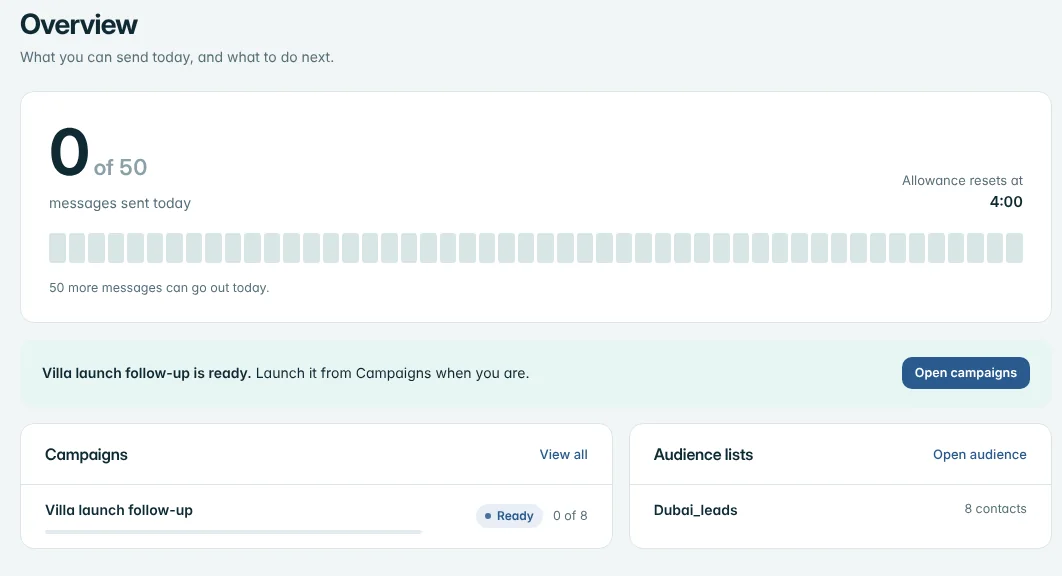
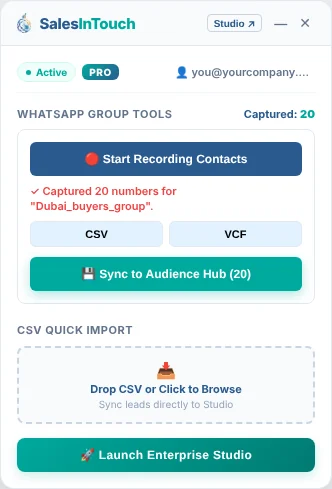
Five short videos, no sound needed. Captions walk you through each step.
Bulk tools get numbers blocked by sending too much, too fast, at the wrong hour. SalesInTouch is designed to do the opposite.
Pick a start time once. Each contact is messaged in a window that begins at that time in their own time zone, and you see the schedule before you confirm.
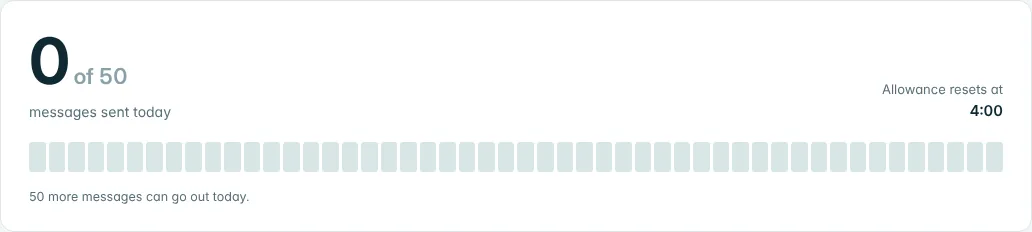
Counted on our server before each send, so it holds even if you reinstall.
About one message every five minutes, each worded a little differently.
Messages go from your own WhatsApp Web. Your contact lists stay in your browser.
Every message is counted on our server before it is sent, so the daily limit holds even if you reinstall or clear your browser.
Any column in your file can become part of the message.
Follow up with buyers after a viewing and mention the area they asked about.
Tell regulars about an offer without writing the same message fifty times.
Remind registered people about a session, at a sensible hour for where they live.
No free trial that asks for a card and forgets to tell you. Pay once for a week, or go straight to Pro.
A week to test it on a small list.
For regular outreach.
No. SalesInTouch works with the WhatsApp Web you already use in Chrome, so there is no application, template approval or per-message fee from Meta.
Any bulk messaging carries some risk, because WhatsApp sets the rules. We keep the volume low, spread messages out, use each contact's daytime and vary the wording, which lowers the risk but cannot remove it. Only message people who expect to hear from you.
In your browser, on your computer. We store your account, plan, daily message count and support requests, not your contacts or message text.
Yes. Messages are sent from your own WhatsApp Web, so Chrome must be open with one WhatsApp Web tab for each sending window. If you close it, the campaign pauses and continues when you return.
Each account is linked to one number. If you change phones, send a request from your portal and we will unlink the old number so you can link the new one.
Log in to your portal and send a request under Support. For payments, your Stripe receipt shows the details of each charge.